 PageVS
PageVS - Flexible split view with drag and resize
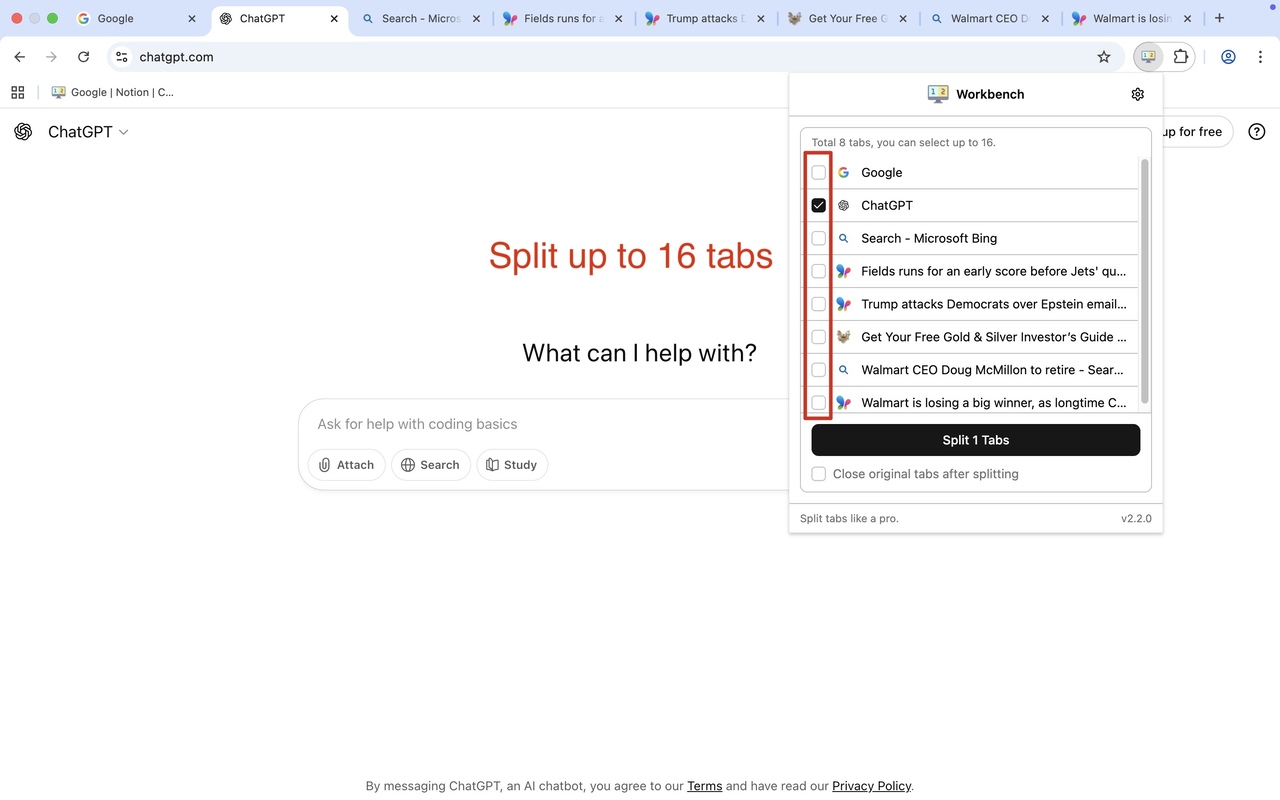
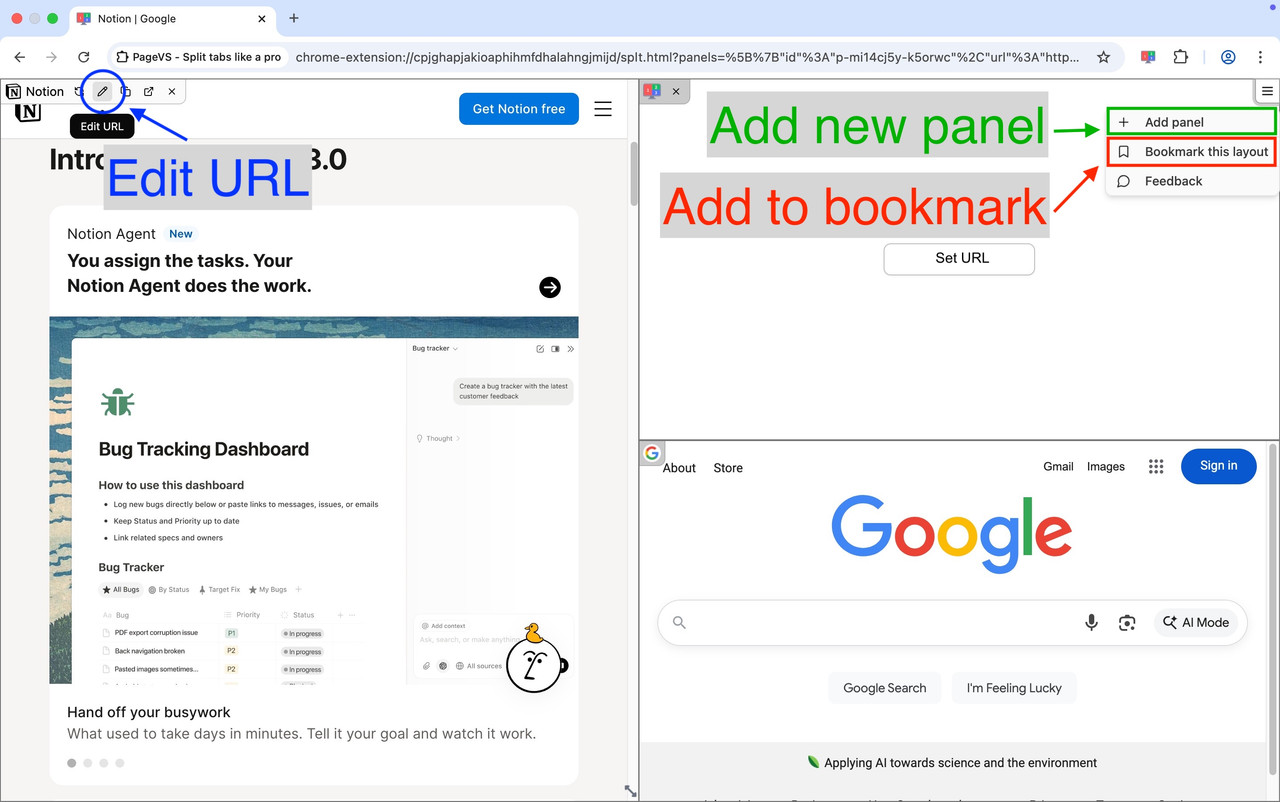
PageVS turns a single tab into multiple split view panels that you can drag and resize freely.
Core Features
Split tabs inside one page
No more juggling windows. PageVS keeps everything in one browser tab.
Up to 16 panels
Open as many as 16 panels in one tab. Great for research, trading, streaming, or studying.
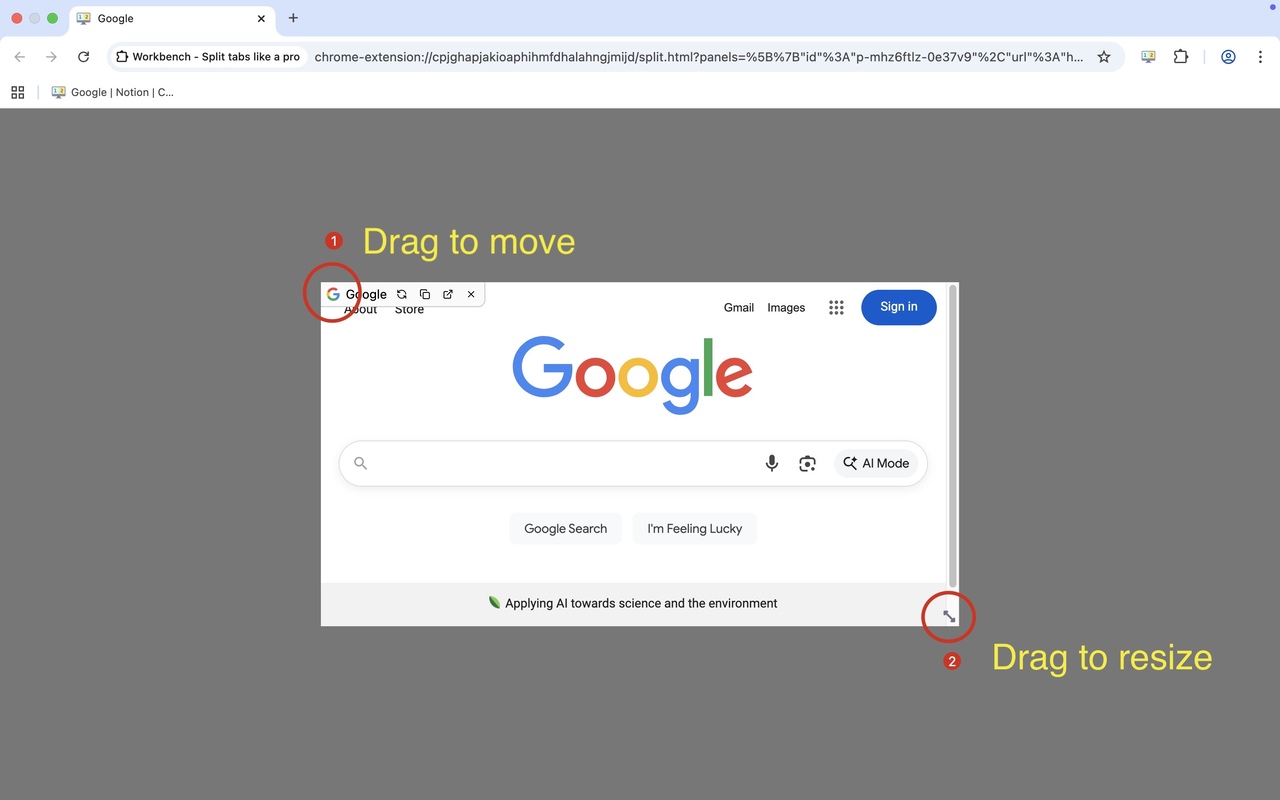
Drag-and-drop layout
Move and resize panels to build any layout you need. Simple and fast.
Light & dark modes
Looks great in both light and dark themes and can follow your system setting.
Video Showcase
Watch how PageVS transforms your browsing experience
FAQs
Frequently Asked Questions
Who is PageVS designed for?
PageVS is ideal for anyone who regularly multitasks in the browser, such as Developers, Researchers, Traders, Content Creators, and Productivity Enthusiasts.
Why did you create PageVS?
Most split-screen tools only make simple columns and require many desktop windows. PageVS keeps everything inside a single browser tab and lets you drag, resize, and build flexible layouts.
What browsers is PageVS compatible with?
Currently, PageVS only supports Google Chrome, with support for other browsers on the way.
How many panels can I split?
You can split up to 16 panels in one tab.
Is PageVS free to use?
Yes, PageVS is completely free to use.